SCALAR Mobility Dashboard
The SCALAR dashboard for service configuration and monitoring
Key Facts
What can SCALAR Mobility Dashboard provide?
The SCALAR Mobility Dashboard is a professional web application which enables mobility service providers to configure and operate their mobility services. It can be used simultaneously by multiple users such as operations and maintenance staff, fleet managers and transportation data analysts.
Details
Easy mobility service provisioning
The SCALAR Mobility Dashboard is the tool to configure and manage services enabled by the SCALAR platform to:
- Define roles and provide access to your team members
- Design and configure your new mobility services
- Define your fleet composition and availability
- Monitor fleet operations in real time
- Access traveler, driver and fleet KPIs
How to use SCALAR Mobility Dashboard
The dashboard is an intuitive application supported by an online help center. A short introduction is enough to get started quickly.
- Define roles and provide access to team members
A configurable role-based access control model enables to define custom roles and provide access to a tailored list of associated features.
- Design and configure new mobility services
The dashboard provides the flexibility to mix multiple services, each one for specific service topologies (service area, lines, and stops), service types (time-based or on-demand), quality of service (defining fares and service level parameters).
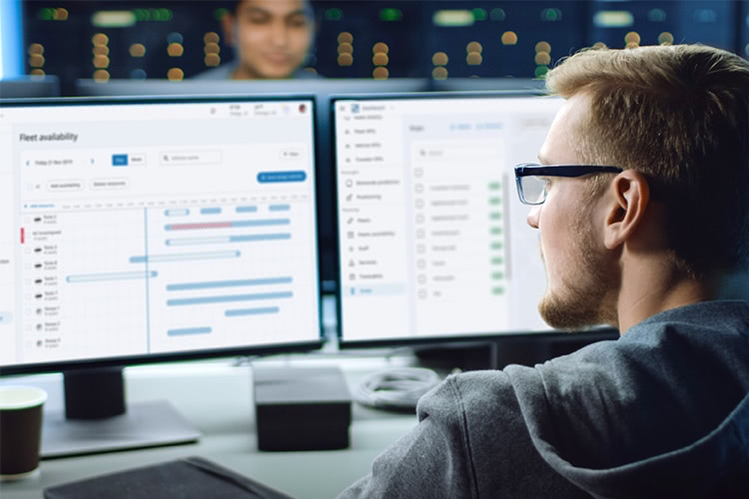
- Define the fleet composition and availability
Configure the characteristics of the fleet used to deliver the mobility services. Define fleet composition and vehicle availability.
- Operate efficient services
Thanks to automated matching and dispatching, the platform reacts in real time to incoming bookings and optimizes the vehicle plans with no operator interaction.
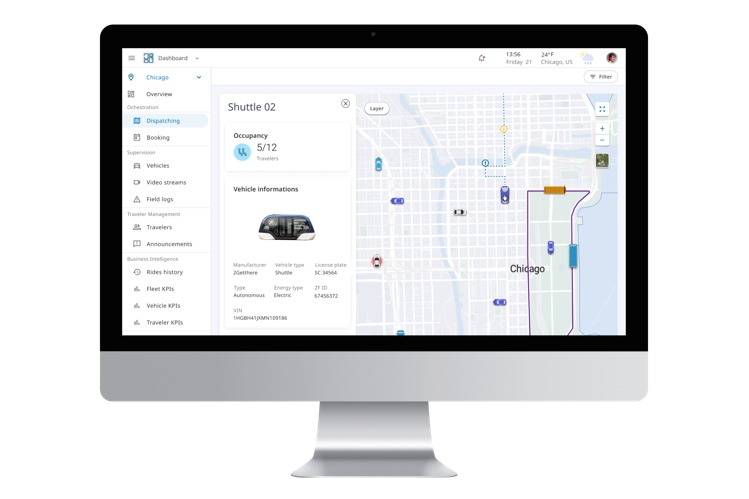
- Monitor fleet operations in real time
The dashboard visualizes missions that are automatically dispatched to drivers via the driver app or to autonomous vehicles directly. It also visualizes traffic and optimized routes.
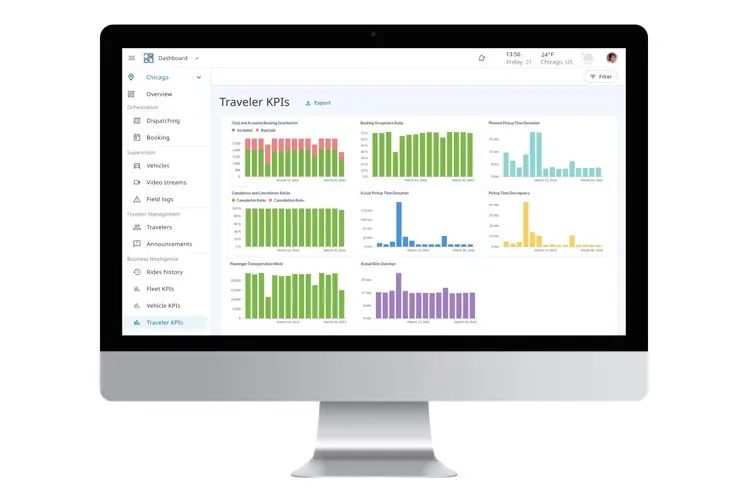
Access traveler, driver and fleet KPIs
The business intelligence (BI) functionalities allow a transportation data analyst to inspect, visualize and extract historical data. The reports cover a large number of key performance indicators (KPIs) and eases compliance reporting to third party stakeholders like public transit agencies.
Technical specs
- Web Application
- Supported operating systems: All chromium based browsers